



What Are Mazda Connected Services?
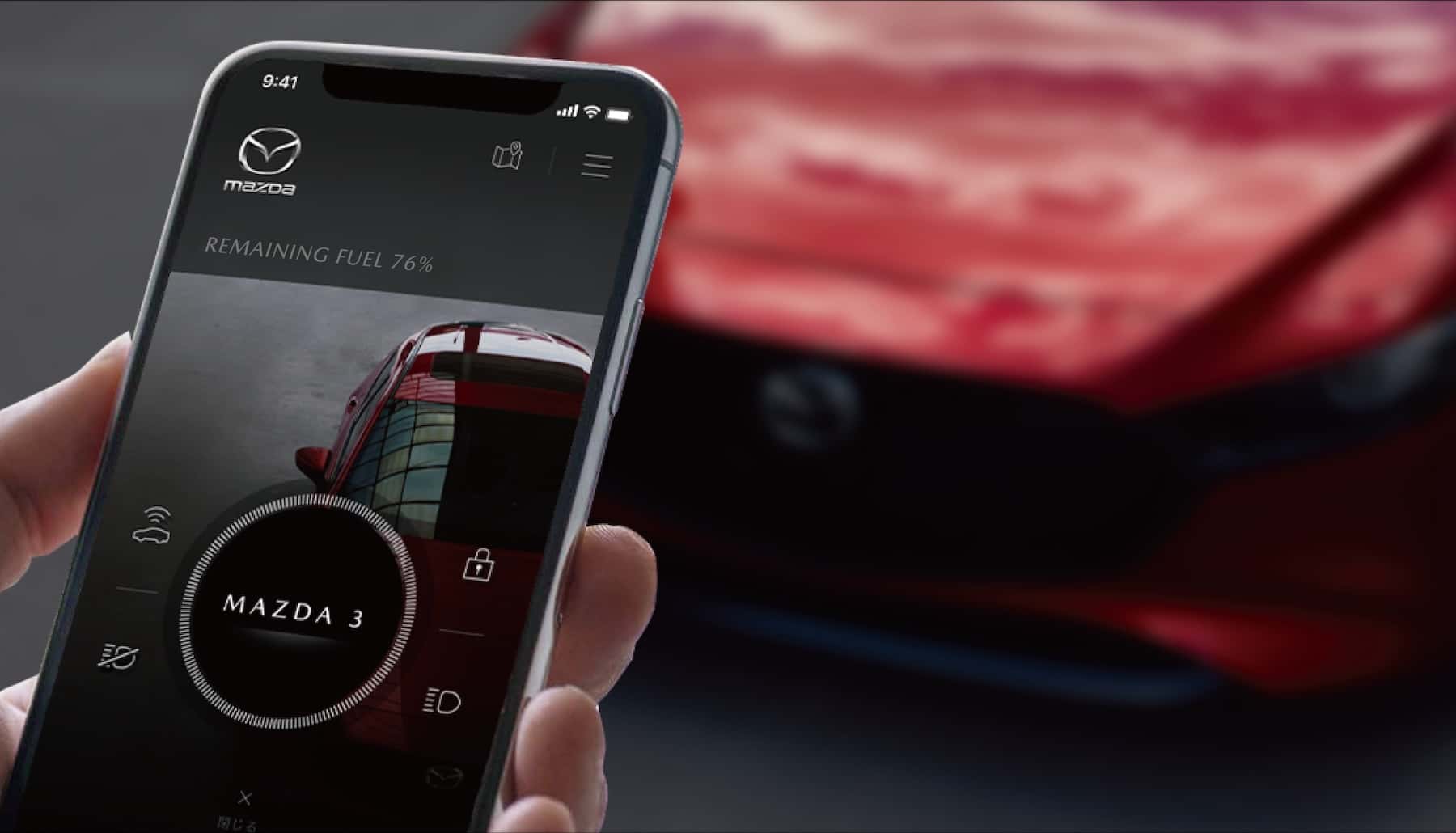
You might be wondering, “What is Mazda Connected Services?” It’s a modern way to stay connected to your vehicle, blending convenience with technology. Imagine controlling your car’s key features straight from your phone — that’s exactly what these services provide. You can remotely lock your doors or check up on your car’s health, and more. This smart system enhances your driving experience by integrating safety, connectivity, and peace of mind. Let’s explore what makes these services a must-have for Mazda drivers.
Key Features of Mazda Connected Services
Mazda Connected Services offers impressive features that make your driving experience safer and more convenient. You can access all these functions through the MyMazda app, giving you full control right from your phone.
Remote Lock and Unlock
The Remote Lock and Unlock feature lets you secure or access your car using the MyMazda app. Did you accidentally leave your doors unlocked? Or maybe you want to let someone in without giving them a key? Just tap and hold the lock or unlock icon in the app to control your doors remotely. This function also works with other remote tools, such as the Mazda Vehicle Finder.
Remote Engine Start and Stop
With the connected services and the remote start feature in the MyMazda app, you can start your car from almost anywhere. The engine will run for up to 15 minutes and stop if a door opens. You can also stop it early by holding the stop button in the app. It’s great for warming your car on cold mornings or cooling it down on hot days before you get inside. This function isn’t available for vehicles with manual transmissions, and it won’t work if the key is in the car or a door is open.
Vehicle Status Report
Mazda Connected Services sends you helpful reports about your vehicle. You’ll receive information on fuel level, tire pressure, whether the doors or trunk are locked, and more. If anything needs your attention, you’ll get an immediate notification. You can also review warning messages, check when your next service is due, and look up important details, such as current mileage and maintenance reminders. Although it doesn’t update in real time, it refreshes every time you switch off the engine, giving you the latest snapshot of your car’s condition.
Emergency Assistance
If your vehicle detects a crash, it can automatically call 911 using your Bluetooth-connected phone. An Emergency Assistance alert will appear on your Mazda Connect screen. The call goes through unless you cancel it, ensuring help arrives quickly. Enable this setting in the Connect menu. This feature works even without a full Connected Services subscription. There’s also an SOS button in the car for manual emergency calls.
In-Vehicle Wi-Fi Hot Spot
Mazda’s in-vehicle Wi-Fi hot spot turns your car into a mobile Wi-Fi hub. You can connect up to five devices at once using cellular data, making it easy for passengers to stream, browse, or work on the go. New Mazdas come with a free trial, usually three months or up to 2 GB of data usage, whichever comes first. After that, you can subscribe to a plan with AT&T or Verizon via the MyMazda app. It works only in the U.S. and requires your car to be in accessory mode.
Service Scheduling
The MyMazda app makes car maintenance very easy and hassle-free. Tap Schedule Service to book an appointment with your preferred dealer. The app also provides updates on oil changes, tire checks, and other routine services. Get proactive alerts and schedule services easily, without needing to call or visit the dealership.
Getting Started With Mazda Connected Services
Mazda Connected Services enrollment is simpler than you might expect. First, download the MyMazda app from the Apple App Store or Google Play Store. Open a MyMazda account by following the prompts. Then, add your connected vehicle by tapping Add Vehicle and following the instructions inside the app.
Once your vehicle appears on your profile, tap Enroll for Mazda Connected Services to start the enrollment process. Keep your vehicle’s ignition turned on as you proceed, since your car needs to communicate with Mazda’s servers to activate. The process only takes a few minutes. Once activated, you’ll gain access to a wide range of features, including remote controls and vehicle health updates.
Pricing Details and Subscription Plans
Good news for new Mazda owners: Mazda Connected Services is free for one year for 2025 models — except the CX-70, which gets three years of complimentary service. Mazda models from 2019 to 2024 also receive three years of free access, after which a subscription fee applies if you choose to continue.
The subscription price is usually around $10 per month (plus tax), but this may vary depending on the model and market. As Mazda aims to keep prices low, it’s affordable to continue using these online services. For more information on prices, call our team at Sport Mazda North dealership. We’ll help you determine the best options for your model and guide you through the sign-up process.
Why You Should Start Using Mazda Connected Services Today
Mazda Connected Services makes your car smarter and your life easier with just a few taps on your phone. Imagine the convenience of warming up your car on a cold morning or unlocking your doors when your hands are full. These tools offer peace of mind with constant updates on your car’s health and safety features, such as automatic emergency calls. Getting started is quick and easy. Visit Sport Mazda North in Longwood, Florida, or contact our team to see how Mazda Connected Services can enhance your driving experience.
0 comment(s) so far on What Are Mazda Connected Services?